
Flippy 3 Release Notes 3.4.0
Reminder
-
Flippy will notify users of available software updates during the scheduled time window.
-
Using the Flippy touchscreen, you can add up to three 15 minute delays before the system automatically performs the update.
-
Manual Cooking is OK during the update!
Tech visit not required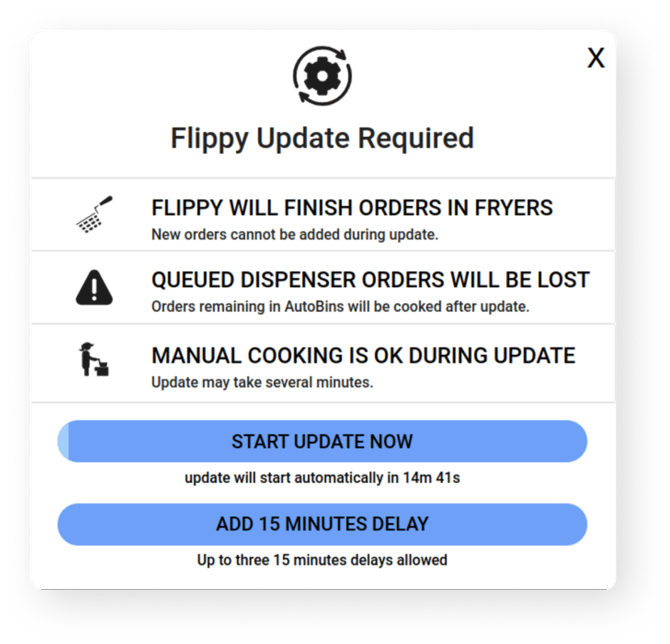
-
Once the update begins, Flippy will finish cooking any baskets in the fryer, and will prevent new orders from being added to the queue.
-
The update process will take approximately 10 minutes to complete.
-
Empty and place all baskets on Fryer Shelves or Autobasket Drawers to resume cooking with Flippy.
Automatic Batch cooking is here!
Release 3.4.0 introduces automated Batching for baskets from the frozen food dispenser. The pilot for Forecast Cooking at WCDETR36 and many other under the hood improvements round out the release.
Automatic Batching
When Batching is turned ON, Flippy will efficiently batch together dispenser orders where possible so they cook in a single basket.
-
Only applies foods in Flippy’s frozen food dispenser
-
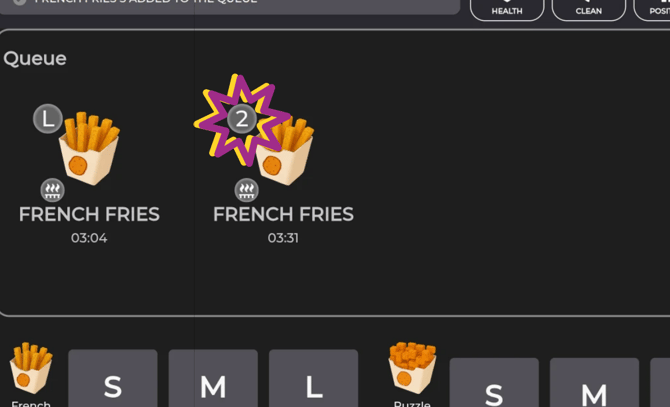
Batched baskets are indicated with a number badge in the cooking queue
-
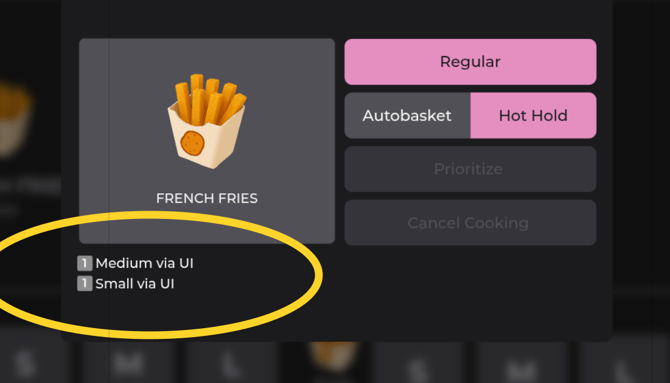
The basket’s details show what individual portions were combined in the batch
Forecast Cooking (WCDETR36 only)
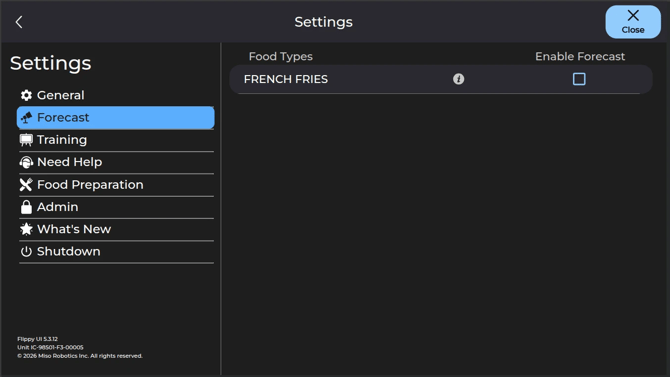
When Forecast is turned ON, Flippy will cook food automatically based on the White Castle cook-ahead schedule for your site.
-
French Fries only for this release
-
Flippy cooks the forecasted food in addition to any food ordered using the UI Buttons on the bottom of the screen and food loaded in the Autobasket Drawers
-
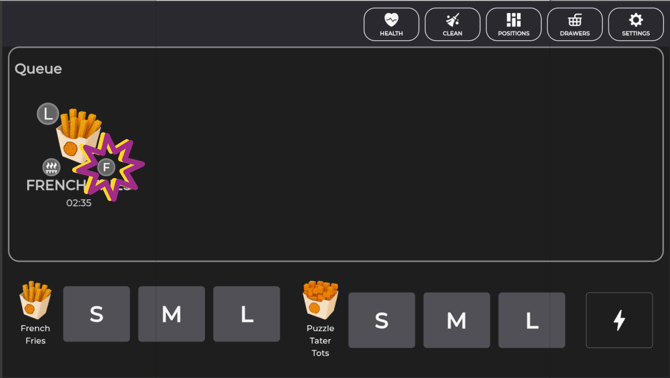
In the cooking queue, baskets from Forecast have an “F” badge
-
Toggle Forecast Cooking on and off in the Forecast section of the Settings
MENU/CONFIGURATION UPDATES
Shrimp Nibblers added back for the season
BUG FIXES
-
Added auto-tuning for fryer shelf positions so fryer shelves are easier to enable again after issues.
-
Updated the way Flippy uses fryer cameras
-
Various other bug fixes and improvements
